
The Leads area has two views: Open leads ↗ is your work list, All leads ↗ is your inventory. You switch between them via the heading at the top left.
Contents
Open leads
Shows exactly the leads that need something from you. A lead appears here when both conditions hold:
- It sits on Qualify, Set discovery, Discovery scheduled, Discovery failed or Discovery done.
- It has not yet been converted into a deal.
And one exception: a lead on Qualify with neither a follow-up date nor a sentiment counts as cold and does not appear. That is the key difference from All leads, and the most common surprise after an import.
Sorting is by urgency: overdue first, then due today, then the rest.
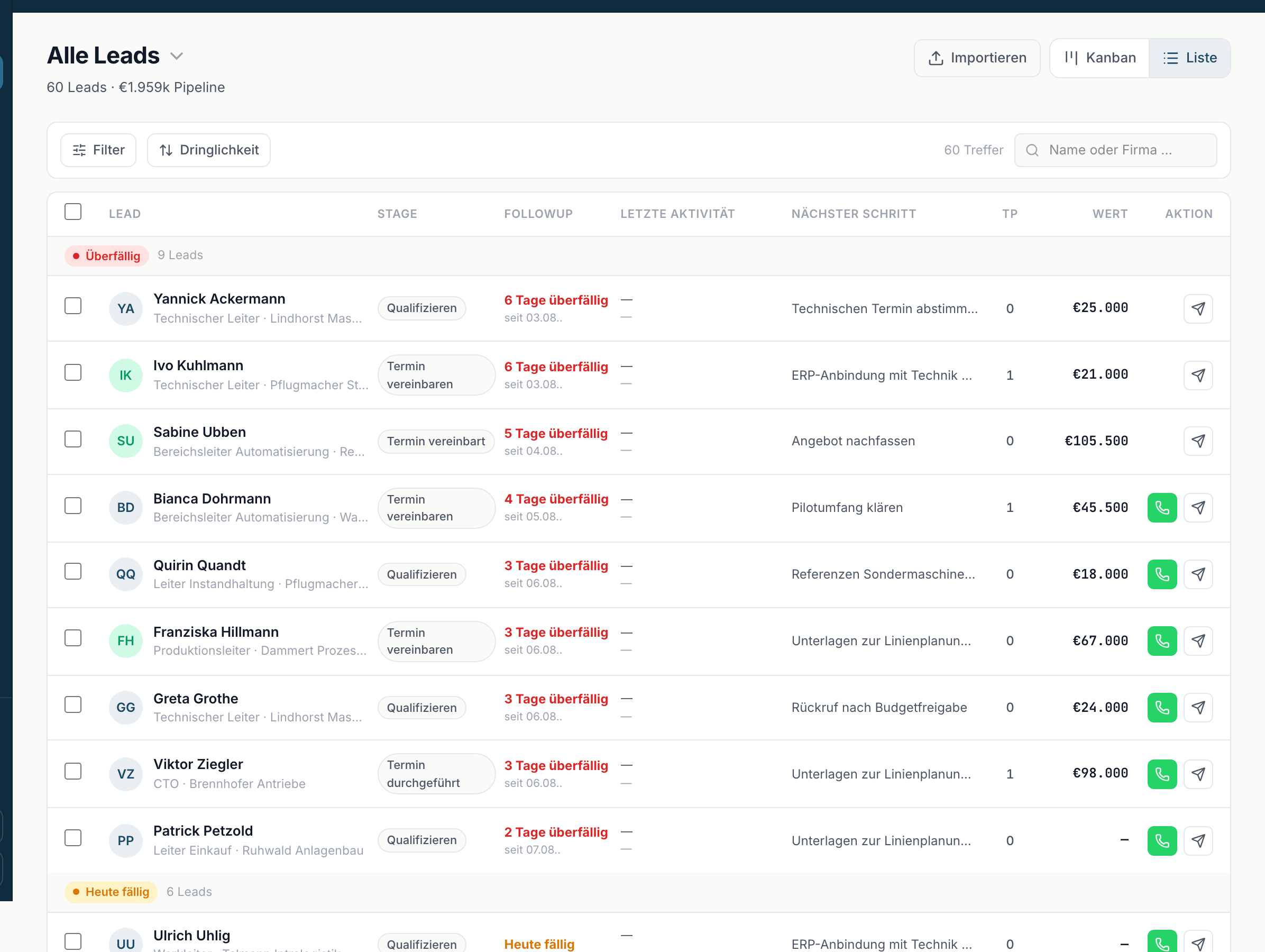
All leads
Shows your complete inventory, including cold leads, lost leads and the ones that have already become deals. This is where you look when you want to find a particular contact again.
Reading the header
Below the title sits a summary: {total} leads · {overdue} overdue · {dueToday} due today · {fresh} new. Those numbers always refer to the view you are in, including any filters you have set.
Why a lead does not show up
Four causes, in the order worth checking:
- You are in Open leads rather than All leads. Cold, lost and already-converted leads are not in there.
- The lead is cold. Stage Qualify, no follow-up date, no sentiment. Set a follow-up date and it appears.
- A filter is active. The list then shows Filtered: {label}. Clicking it clears the filter.
- You have the Sales role. Then you only see leads assigned to you.
Searching and filtering
Above the list you find:
- The search field Name or company ….
- The quick option Today & overdue.
- Filter (stage, campaign, sentiment, …) for everything else, including Stage, Follow-up date with the options Overdue, Due today, Upcoming and No date, plus Owner.
- Sorted by with Urgency, Follow-up date, Touchpoints, Value and Stage.
Reset discards all filters, Apply activates them.