
A deal does not appear on its own. It is created out of a lead, once the conversation has taken place.
Contents
- Creating a deal
- What happens to the lead
- Back to the lead
- What this separation means for your numbers
- A deal without a lead
- The most common pitfalls
- Next
Creating a deal
- Open the lead.
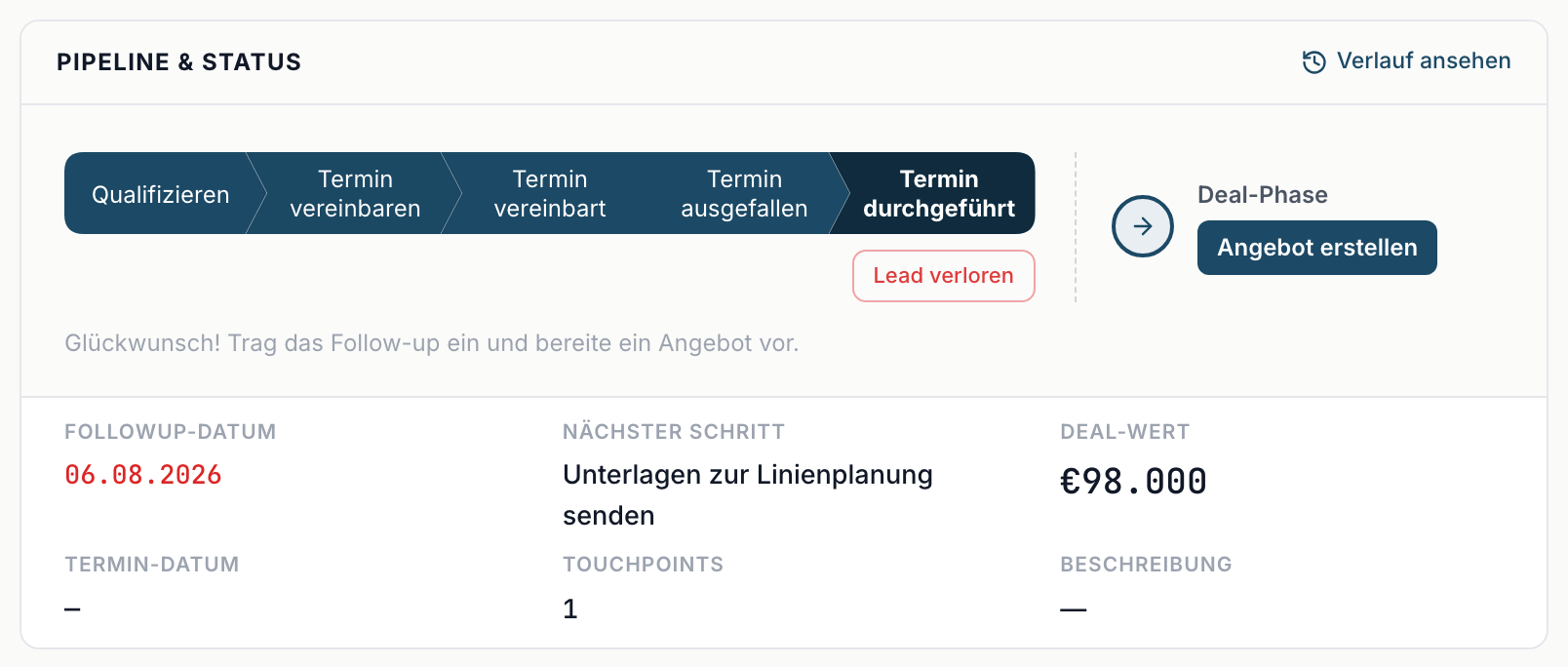
- Set it to Discovery done.
- The Deal phase section with the button Create offer appears in the Pipeline & status block.
- Click it. In the Assign company dialog, confirm the matching company or create a new one, then Create deal. The deal is created and opened immediately. More in Companies (Accounts).
The deal starts on Send offer. As its Deal value it takes the lead's Estimated value; if nothing was stored there, it starts at zero. Confidence starts at a default, Expected close is empty at first.
Fill in those three right away. Without them the forecast works with defaults that may be too high or too low for your business.
You are protected against duplicates: if a deal already exists for this lead, inDeal opens the existing one instead of creating a second.
The button only appears at Discovery done. If the lead sits on an earlier stage, it is not there. That is deliberate: a deal without a conversation that took place has no reliable basis.
Once the deal exists, Open deal sits in the same place.
What happens to the lead
The lead stays intact. It merely leaves Open leads ↗, because the work there is finished, and remains findable under All leads ↗.
Contact details and campaign stay the same record. What you change on the deal under Contact changes on the lead too - and the other way round. The fields under Company belong to the deal's company and apply to all its contacts.
Activities and notes are separate: what you logged on the lead stays on the lead; what you log on the deal belongs to the deal.
Back to the lead
In the deal's Pipeline & status block, From lead phase sits on the right with the original stage and the handover date. A click opens the lead.
Use it when you want to see what was discussed before the meeting.
What this separation means for your numbers
On Home ↗ the separation matches the two overviews exactly:
- Discovery pipeline counts the leads up to the meeting.
- Deal pipeline counts the deals from the offer onwards.
The Pipeline conversion analysis measures the transition between them, so Discovery → offer. If that value is low, conversations are happening without an offer following - or simply without a deal being created.
A deal without a lead
A deal can exist without a matching lead, for example when the lead was deleted afterwards. Then From lead phase is missing and the fields under Contact stay empty. Under Company you still see the deal's company. The deal itself keeps working.
The most common pitfalls
- No deal created. The lead sits on Discovery done, but nobody clicked Create offer. The revenue appears in no forecast.
- Maintained twice. Contact details get changed on the lead and again on the deal. That is unnecessary, it is the same record.
- Looking in the wrong place. After the handover the contact lives under Pipeline, no longer in Open leads.