
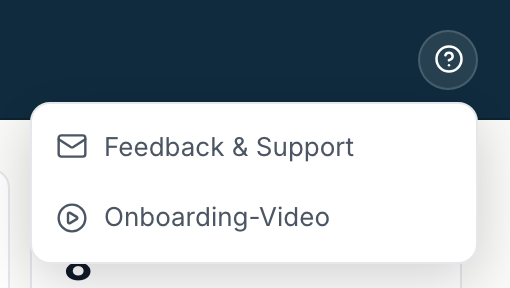
Help is one click away from any view: the question mark at the top right.
Contents
- Opening the help menu
- Feedback & Support
- Onboarding video
- What makes a request faster
- Worth checking first
- Legal
Opening the help menu
- Click the question mark at the top right, labelled Help.
- Pick one of the two entries.
Feedback & Support
Feedback & Support opens a window where you can write directly. Your message reaches our team and the reply appears in the same window. You do not have to sign in again.
Right after the click it says Loading. If you see Couldn't load - please click again instead, click the entry once more. As a rule it is a brief connection hiccup.
Onboarding video
Onboarding video opens the short introduction from your first sign-in. You can watch it again whenever you like.
What makes a request faster
Tell us:
- What you were trying to do.
- What happened instead, word for word if possible.
- Which area you were in: Home ↗, Leads, Pipeline, Campaigns or Setup ↗.
- The name of the lead or deal involved, if it is about a single record.
With those four details we can usually reproduce the case without asking back.
Worth checking first
Some cases resolve themselves without a request:
- A menu entry is missing. You most likely have the Sales role. Which entries belong to it is in How inDeal is structured.
- The sign-in link does not work. Request a new one, see Signing in and setting up your account.
- A lead has disappeared. Check whether you are in Open leads ↗ rather than All leads ↗.
Legal
You find the imprint, the privacy policy and the list of subprocessors in Setup under Legal ↗.