
Once leads are taken over and the campaign is ready, you start the agent. It then works in your working hours and stays within the limits of your LinkedIn profile.
Contents
- Start the agent
- What prevents the start
- Working hours per agent
- Pace: requests per day
- Daily and weekly limits per profile
- When your LinkedIn account is restricted
- Pause, resume, end
- Next
Start the agent
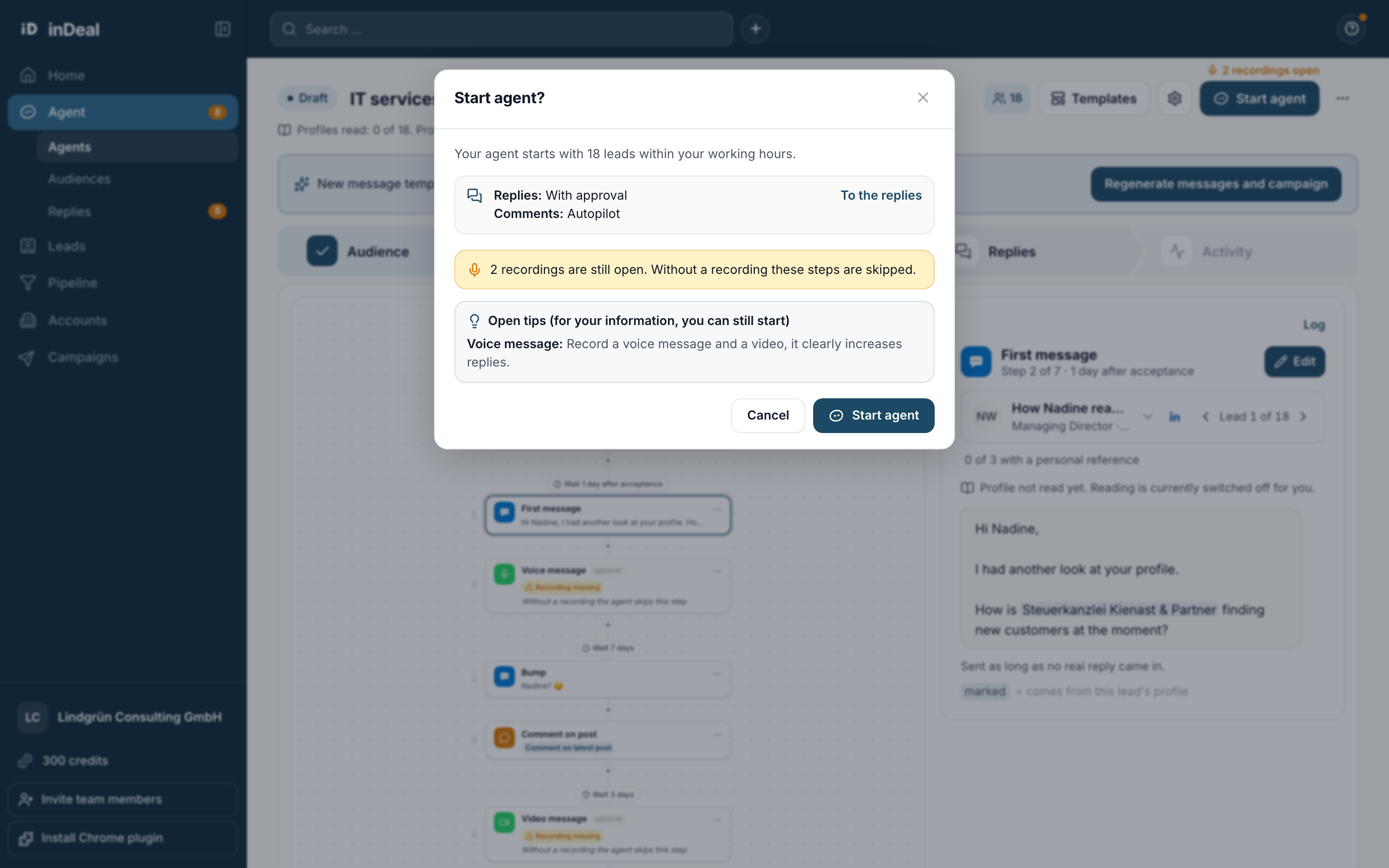
At the top right, click Start agent. The question Start agent? follows, with the number of leads and the note that the agent starts within your working hours. It also shows whether replies and comments go out With approval or by Autopilot.
Under Open tips (for your information, you can still start) the agent lists things you can still improve, for example a missing recording. Without a recording the step is skipped.
What prevents the start
If something is still missing, Start agent opens the list The agent cannot start yet with all open points instead of the question. The most common ones:
| Message | What you do |
|---|---|
| The agent has no leads yet. | Take over leads in the Leads tab. |
| First choose in the Campaign tab how you address your leads. | Pick the form of address. |
| Your agent is still writing the campaign. Wait until it is done. | Wait a moment. |
| Set time windows in the Replies tab under "Meetings". | Set times for meeting proposals. |
| Connect your LinkedIn profile first. | Connect the profile. |
| Your LinkedIn connection needs to be renewed. | Reconnect the profile. |
| The note of the connection request is longer than 300 characters. | Shorten the note. |
| A message comes before the connection request. | Fix the order in the sequence. |
Working hours per agent
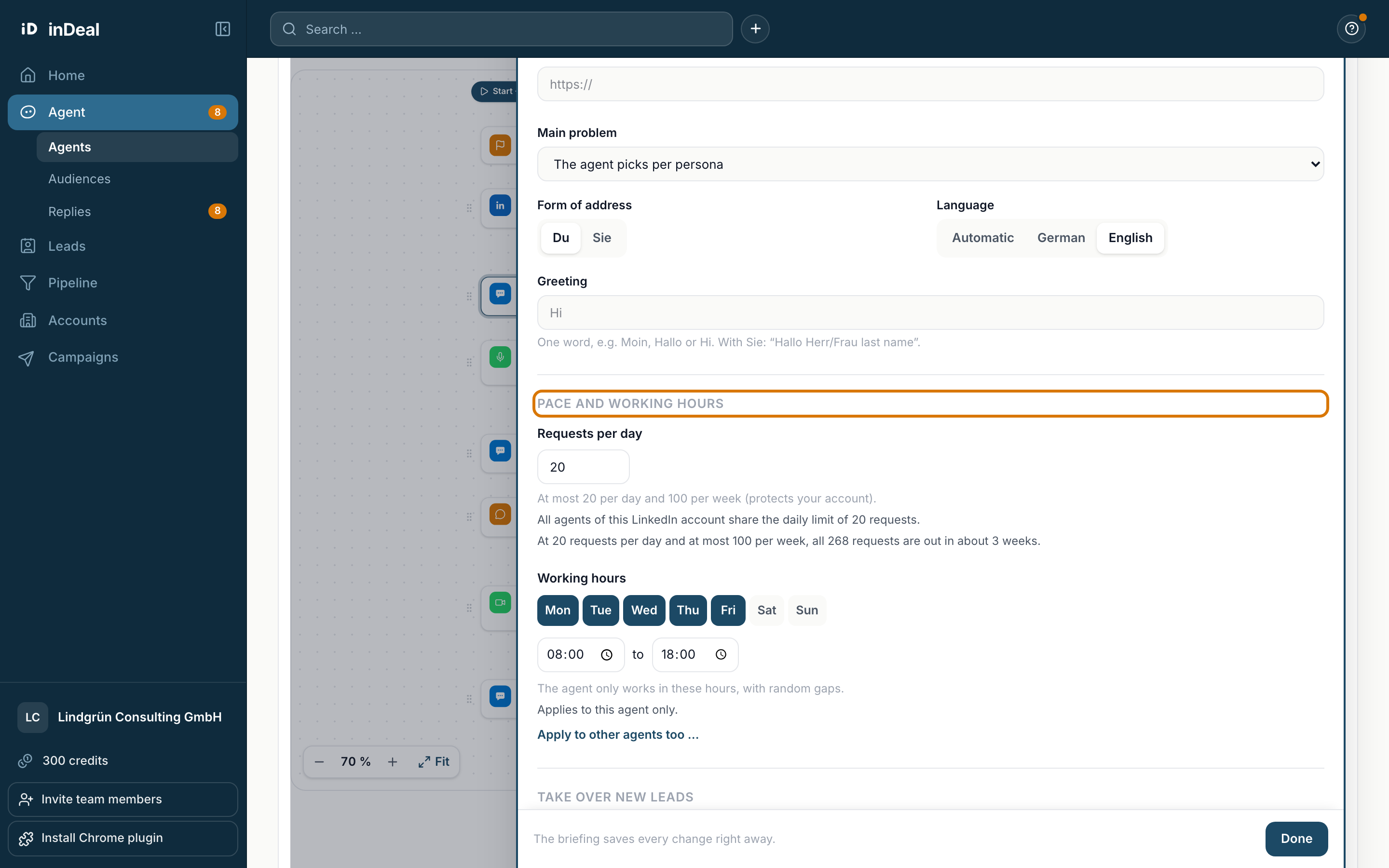
The gear opens the settings. Under Pace and working hours, at Working hours, you set the weekdays and the time from and to. The default is Monday to Friday, 8 am to 6 pm.
- The agent only works in these hours, with random gaps.
- The working hours apply to this agent only. Apply to other agents too … copies them to more agents.
- The time zone is that of the person whose profile the agent sends from.
- You can change working hours while the agent runs.
Pace: requests per day
At Requests per day you set how many connection requests the agent sends per day at most. Below, you see how long it takes at this pace until every lead has a request.
All agents of this LinkedIn account share the daily limit. If you have two agents on one profile, the setting applies to both together.
Daily and weekly limits per profile
To protect your account, fixed limits apply per LinkedIn profile. All running agents of this profile share them.
| Action | Limit |
|---|---|
| Connection requests | at most 20 per day and 100 per week |
| Messages, including voice and video messages | 80 per day |
| Profile visits | 80 per day |
| Likes | 40 per day |
| Comments | 20 per day |
The agent does not use up the limits fully every day and leaves at least one minute between two actions. With a freshly connected profile it starts at half and ramps up to the full volume over 14 days. You then see a ramp-up note.
Depending on your plan, an extra weekly limit applies to your whole account, across all profiles together. In the trial and on the Starter plan, that is up to 50 people per week, on the Scale plan up to 150, of which at most 100 new contacts.
When your LinkedIn account is restricted
If LinkedIn restricts your account, the agent stops sending. The header shows Paused: LinkedIn account restricted, the steps show Waiting: your LinkedIn account is restricted, the agent pauses. You also get an email.
Nothing is lost. Due steps stay scheduled. Once the account works again, the agent continues in the right order, within the limits. Deadlines for open connection requests are extended by the length of the restriction.
Pause, resume, end
- Pause: the agent sends nothing until you resume it. Planned steps and data stay.
- Resume: the agent continues with the planned steps. It first checks again that everything is ready.
- End and archive: all open steps stop immediately. Sent messages, replies, history and numbers stay readable. An ended agent cannot be started again.
A draft that never ran you Move to trash. It stays there for 30 days and can be restored.