
A new agent takes a few steps: pick the audience and the profile, pick the source, take over leads. Then the agent writes the campaign.
Contents
- Create a new agent
- Audience and LinkedIn profile
- Choose the source
- The sources in detail
- Change the source in a draft
- After the start
- Next
Create a new agent
Under Agent and Agents, click New agent. A new draft opens in the Audience tab. Nothing is sent at this stage.
Cancel leaves the setup. If the draft has no source and no leads yet, it disappears again.
Audience and LinkedIn profile
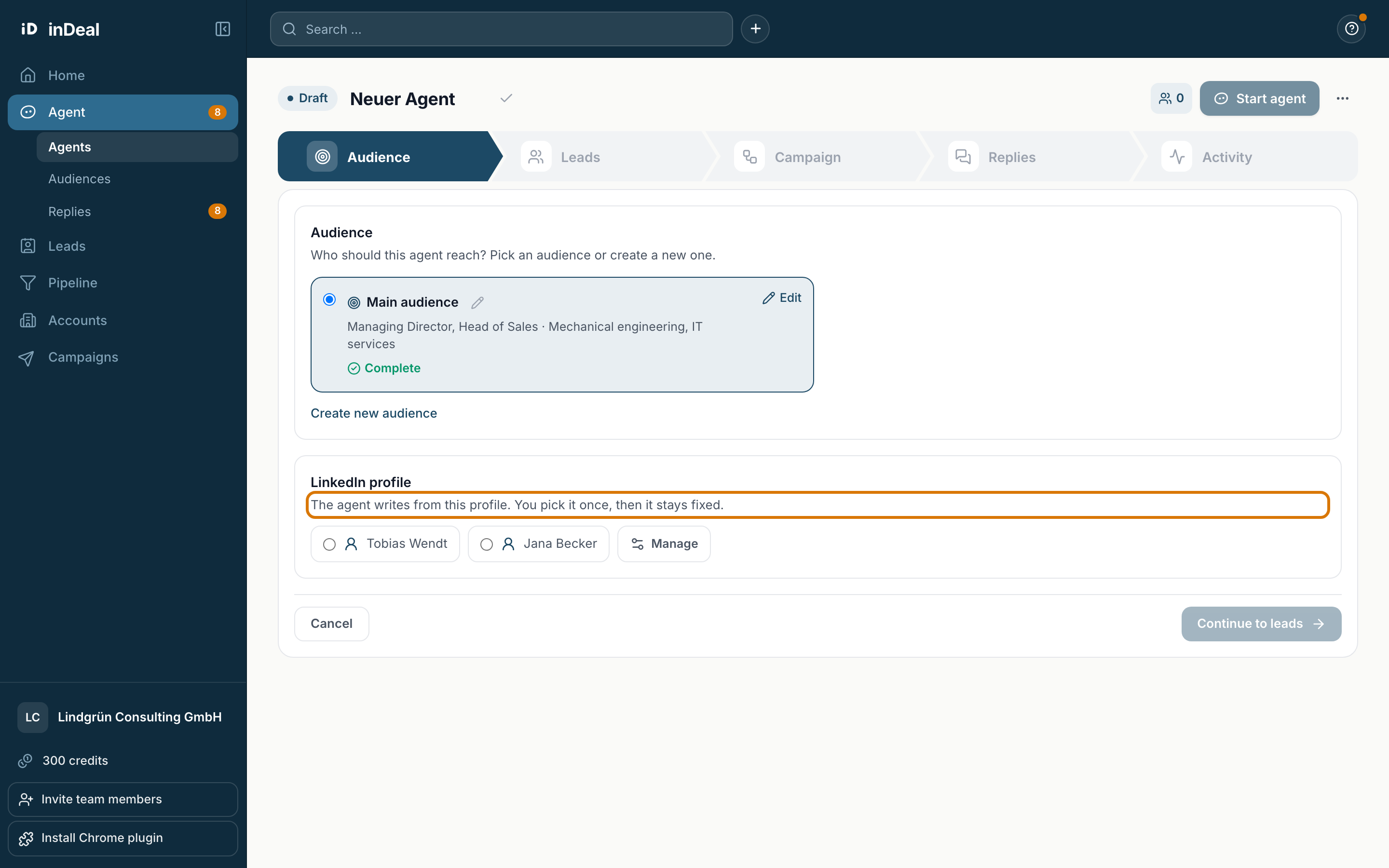
In the Audience tab you make two choices:
- Audience: who the agent should contact. Pick an existing audience or create a new one with Create new audience. If the audience still lacks something, you see for example "Still missing: problems of your audience" with Add next to it.
- LinkedIn profile: which profile the agent writes from. You pick it once, then it stays fixed. Members pick their own profile, admins any profile in the account.
If no profile is connected yet, you see Connect a LinkedIn profile first. Then click Continue to leads.
Choose the source
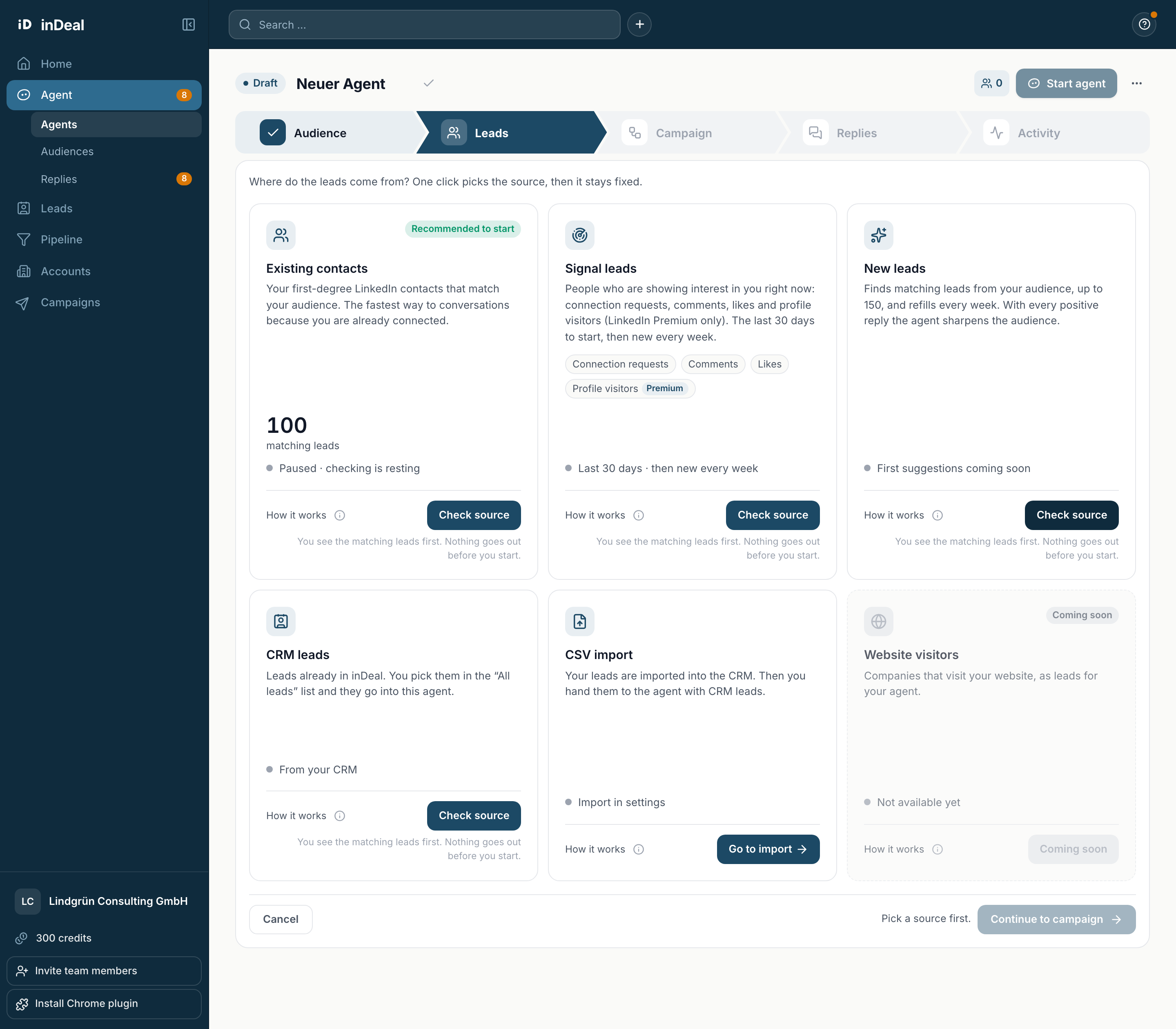
In the Leads tab you choose where the leads come from. One click on Check source picks the source, then it stays fixed. You see the matching leads first. Nothing goes out before you start. The agent takes on the name of the source, for example Existing contacts, unless you renamed it yourself.
The sources in detail
| Source | What it delivers |
|---|---|
| Existing contacts | Your first-degree LinkedIn contacts that match your audience. The fastest way to conversations because you are already connected. |
| Signal leads | People who are showing interest in you right now: connection requests, comments, likes and profile visitors. Profile visitors need LinkedIn Premium. |
| New leads | New matching people from your audience, up to 150 in stock. The agent refills every week. |
| CRM leads | Leads already in inDeal, for example from the lead plugin for Chrome. You pick them in the "All leads" list. |
| CSV import | Your leads from a file. They go into the CRM, then you hand them to the agent as CRM leads. |
Which sources you can use depends on your plan. Signal leads start with the Scale plan, not in the trial. New leads and CRM leads need a complete audience.
How it continues is explained in The Leads tab.
Change the source in a draft
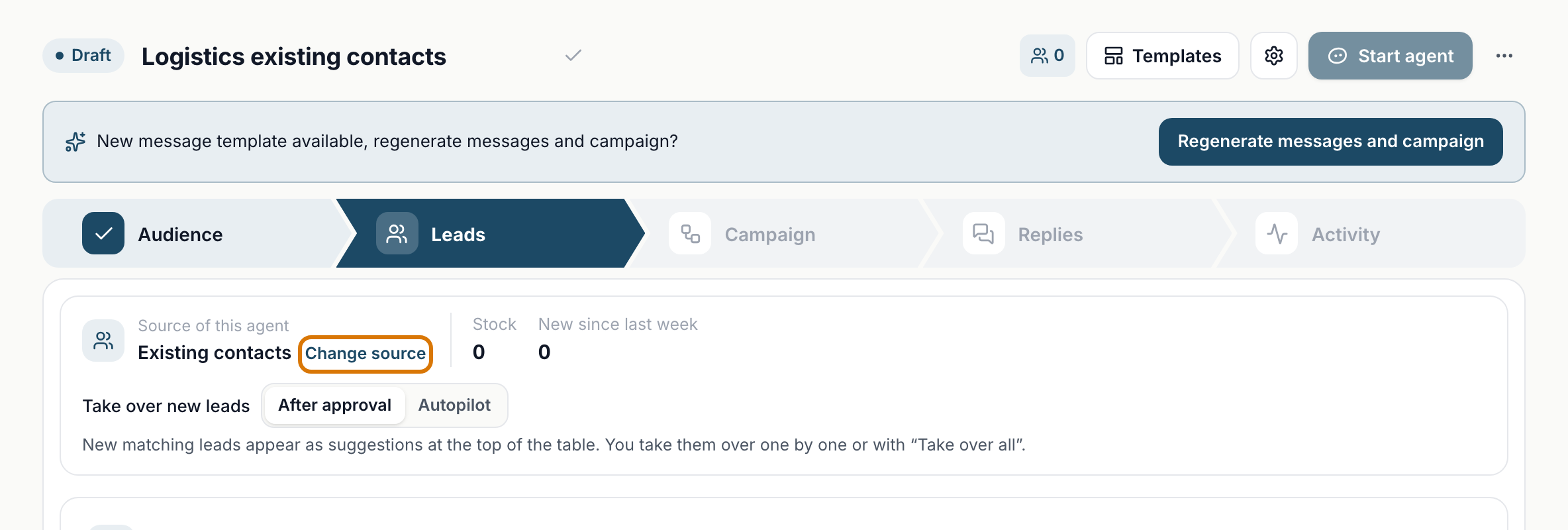
While the agent is a draft, you see Change source next to the source. inDeal asks before anything happens:
- The leads already taken over are removed from this agent. They stay in inDeal.
- Sequence and messages are then created anew for the new source.
- Recordings, form of address and settings stay.
The person sending from this profile and any admin can change the source.
After the start
After the start, the source stays fixed. Depending on your account, running agents offer Switch source. This creates a copy with your settings and your profile, and you pick a new source for it. Sequence and texts are then created anew for the new source. Leads already in progress finish in the current agent. You can pause the current agent at the same time.
If an agent with existing contacts finds only a few matches, it suggests adding new leads. Yes, add creates a second agent on the same profile. Both agents share the daily and weekly limits of this profile.