
Contacts who reacted to your outreach appear in inDeal as leads. This article covers what happens next and how you carry on from a campaign.
Contents
- How you spot where a lead came from
- From the campaign into the lead list
- What to do with these leads
- Why the campaign shows more leads than your work list
- Replies across all campaigns
- Next
How you spot where a lead came from
Open a lead and look at the Details block. Under Campaign sits the name of the campaign it came from. Next to it you find Channel and Lead source.
For leads you created or imported yourself, Campaign stays empty.
From the campaign into the lead list
Three places on the campaign card lead onward:
- The progress line opens all leads of the campaign. The list then shows Filtered: {campaign name} · All leads.
- Reply opens the leads that replied. The note reads Filtered: {campaign name} · Reply.
- Meetings opens the leads with a completed meeting, marked Filtered: {campaign name} · Meetings.
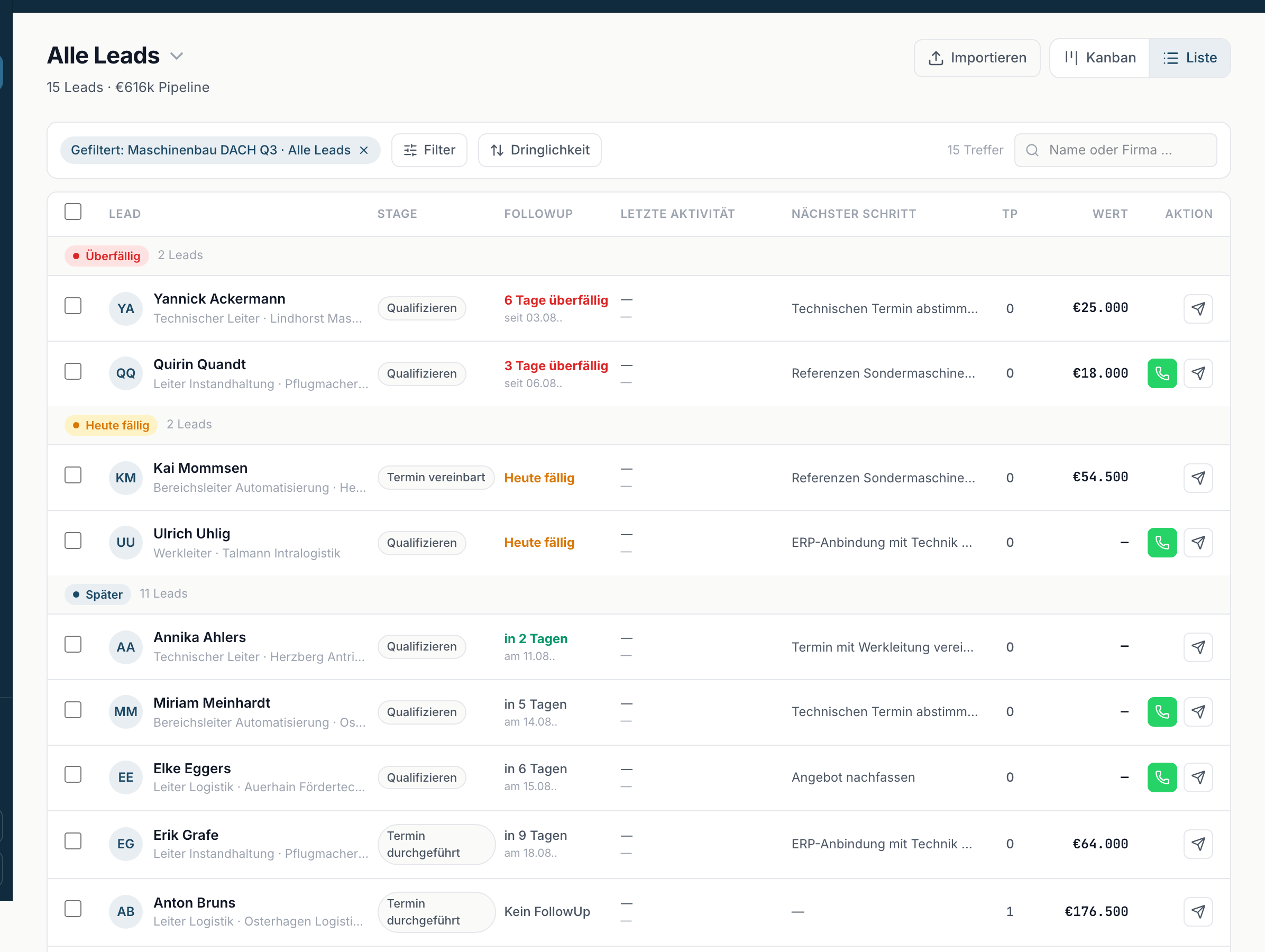
The same three values are clickable in the Completed table.
Clicking the note above the list clears the filter again.
What to do with these leads
Fresh campaign leads need two things, otherwise they fizzle out:
- A follow-up date. Without a date the lead appears in no work list and in no metric on Home ↗.
- A sentiment. Set Sentiment to Positive, Neutral or Negative. The campaign's Positive value depends on it, and positive leads are highlighted as hot on Home.
After that you work the lead like any other: move the stage on, log what happens, book a meeting.
Why the campaign shows more leads than your work list
A common case. The campaign counts all of its leads. Open leads ↗ only shows the ones that need something from you - and it excludes cold leads, meaning those on Qualify without a follow-up date and without a sentiment.
An incoming campaign lead that nobody has touched yet is exactly that case. It sits under All leads ↗, not in the work list.
The way there: open the campaign, click the progress line, work through the list, set follow-up and sentiment. The leads then appear in Open leads.
Replies across all campaigns
On Home, the Replies metric opens the same kind of list but across all campaigns at once. That is the faster route when you only want to know who replied and the campaign is beside the point.