
With the inDeal API you create leads from other systems, read them, keep them in sync and write activities such as notes or calls to the timeline. Everything you need lives under Settings -> API & Webhooks.
Contents
- Create a key
- Basics
- Create a lead
- Read a lead
- Update a lead
- List leads
- Activities
- Fields
- Duplicate leads
- Error codes
- Next
Create a key
- Open Settings -> API & Webhooks.
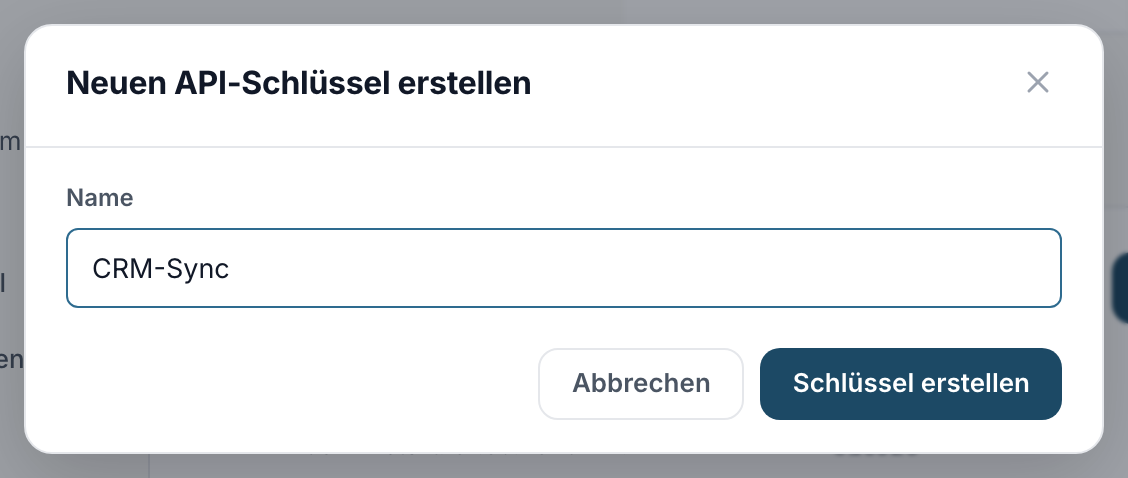
- Click Create new key and pick a name that describes the connected system.
- Copy the key right away. Copy the key now. It is shown only once and cannot be retrieved again later.
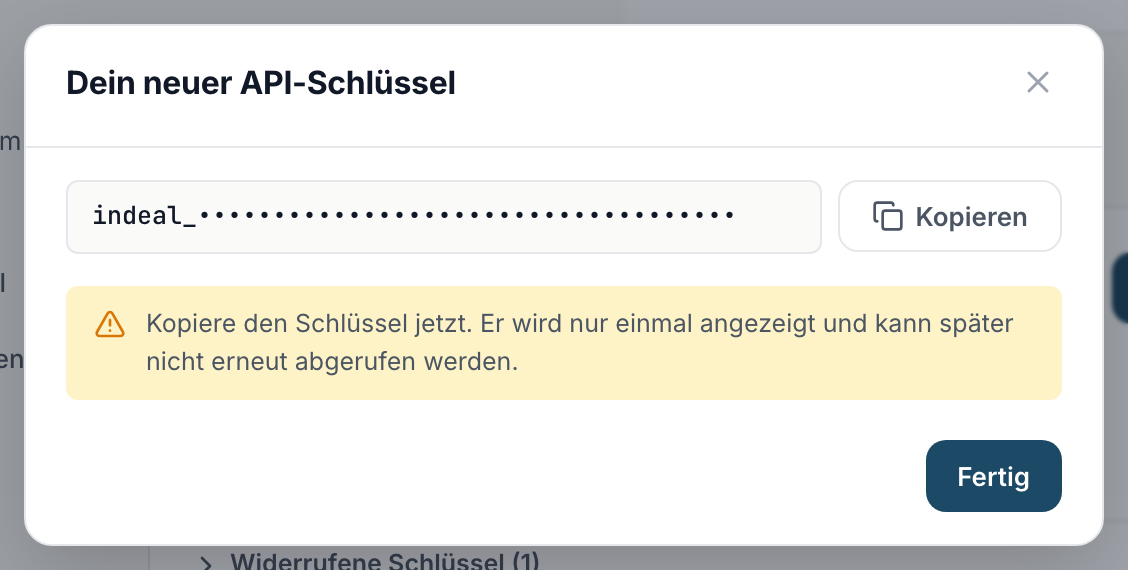
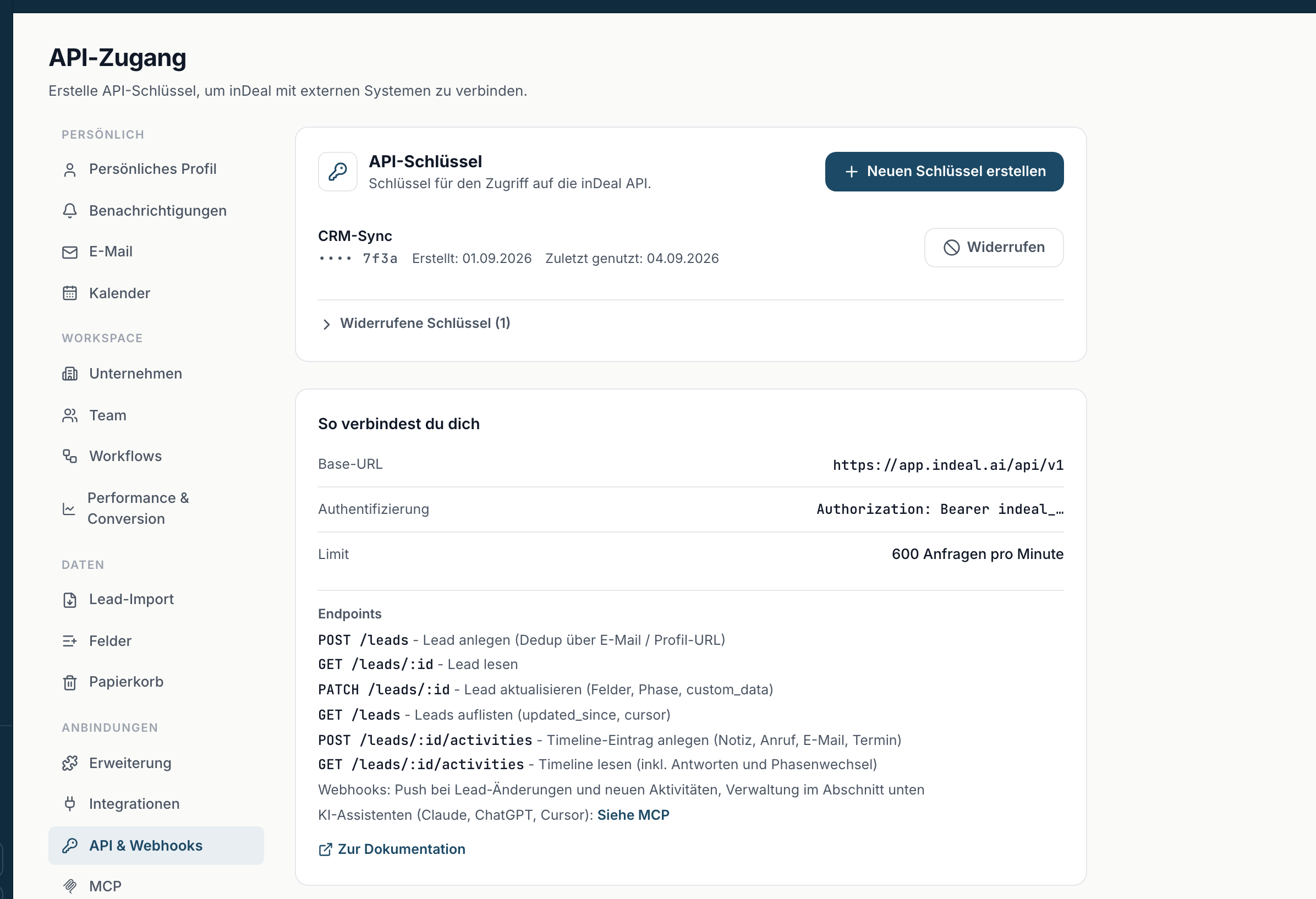
Afterwards the list only shows the last four characters. If you need the key again, revoke the old one with Revoke and create a new one. Up to 10 active keys are possible, so you can give each system its own and revoke them individually.
Basics
| Item | Value |
|---|---|
| Base URL | https://app.indeal.ai/api/v1 |
| Authentication | Header Authorization: Bearer indeal_... |
| Format | JSON in request and response |
| Limit | 600 requests per minute per key |
Above the limit the API responds with status 429 and the header Retry-After: 60 - wait a minute in that case.
Create a lead
POST /leads creates a lead. At least one of email or linkedin_url (the contact's profile URL) is required.
curl -X POST https://app.indeal.ai/api/v1/leads \
  -H "Authorization: Bearer indeal_..." \
  -H "Content-Type: application/json" \
  -d '{
    "full_name": "Julia Weber",
    "email": "julia.weber@muster.de",
    "company_name": "Muster GmbH",
    "role_title": "Managing Director"
  }'
Response on success (status 201):
{
  "status": "created",
  "lead": {
    "id": "0b0e...",
    "stage": "qualifying",
    "full_name": "Julia Weber",
    "email": "julia.weber@muster.de",
    "company_name": "Muster GmbH"
  }
}
If the lead already exists you get status 200 with "status": "duplicate" and the existing lead - see Duplicate leads.
Read a lead
GET /leads/{id} returns a single lead.
curl https://app.indeal.ai/api/v1/leads/0b0e... \
  -H "Authorization: Bearer indeal_..."
Response (status 200): { "lead": { ... } }. An unknown id returns status 404.
Update a lead
PATCH /leads/{id} changes only the fields you send. null clears a field. stage moves the lead to another phase - the history in inDeal is written automatically. custom_data is merged, not replaced: null as a value deletes a key, all other keys stay.
curl -X PATCH https://app.indeal.ai/api/v1/leads/0b0e... \
  -H "Authorization: Bearer indeal_..." \
  -H "Content-Type: application/json" \
  -d '{ "stage": "meeting_scheduled", "next_step": "Prepare demo" }'
Response (status 200): { "lead": { ... } }. If the change collides with an existing lead (email or profile URL already taken), you get status 409.
List leads
GET /leads returns leads page by page, sorted by last change.
curl "https://app.indeal.ai/api/v1/leads?updated_since=2026-09-01T00:00:00Z&limit=100" \
  -H "Authorization: Bearer indeal_..."
| Parameter | Meaning |
|---|---|
updated_since |
only leads changed since this point in time (ISO 8601) |
limit |
1 to 200, default 100 |
cursor |
next_cursor from the previous response |
order |
asc (default, oldest change first) or desc (newest first) |
Response: { "leads": [...], "next_cursor": "..." }. When next_cursor is null you have reached the end. The cursor remembers the sort direction, so you do not have to repeat order while paging. For ongoing sync: query regularly with updated_since and page with cursor.
Find a lead by email or profile URL
You know the email address or the profile URL and need the id? Pass it as a parameter. inDeal then searches exactly as when creating: upper and lower case do not matter, and for the profile URL neither do https://, www or a trailing slash.
curl "https://app.indeal.ai/api/v1/leads?email=julia.weber@muster.de" \
  -H "Authorization: Bearer indeal_..."
| Parameter | Meaning |
|---|---|
email |
match on the email address |
linkedin_url |
match on the profile URL |
If you pass both, you get every lead that matches at least one of them. The response is { "leads": [...] } without next_cursor, since there can never be more than two matches. If nothing matches, the list is empty. updated_since and cursor are ignored for this search. An invalid email address or URL returns status 400 with the field name.
Activities
Every lead has a timeline. Via the API you add entries to it and read them.
Create an activity
POST /leads/{id}/activities adds a timeline entry to the lead. Writable types are note, call, email and meeting_scheduled. At least one of title or body is required. If title is missing, inDeal builds it from the first 80 characters of body.
| Field | Required | Note |
|---|---|---|
type |
yes | note, call, email, meeting_scheduled |
title |
no | max. 200 characters |
body |
no | free text, max. 10000 characters, for example the call outcome |
channel |
no | linkedin, email, meet, call |
occurred_at |
no | point in time (ISO 8601), default now, not in the future |
curl -X POST https://app.indeal.ai/api/v1/leads/0b0e.../activities \
  -H "Authorization: Bearer indeal_..." \
  -H "Content-Type: application/json" \
  -d '{ "type": "call", "body": "Short call, demo next week", "channel": "call" }'
Response on success (status 201):
{
  "activity": {
    "id": "9f3a...",
    "type": "call",
    "title": "Short call, demo next week",
    "body": "Short call, demo next week",
    "quote": null,
    "channel": "call",
    "occurred_at": "2026-09-03T14:00:00+00:00",
    "created_at": "2026-09-03T14:00:01+00:00",
    "pinned": false,
    "edited_at": null
  }
}
The entry appears in the lead's timeline right away, and calls as well as emails count as touchpoints. The types reply (a reply from a campaign) and stage_change (a stage change) are written by inDeal itself; sending them returns status 400. An unknown lead id returns status 404.
Read the timeline
GET /leads/{id}/activities returns all entries of the lead, newest first, including the read-only types reply and stage_change.
| Parameter | Meaning |
|---|---|
type |
one type only: note, call, email, meeting_scheduled, reply, stage_change |
limit |
1 to 200, default 50 |
cursor |
next_cursor from the previous response |
curl "https://app.indeal.ai/api/v1/leads/0b0e.../activities?type=reply&limit=50" \
  -H "Authorization: Bearer indeal_..."
Response: { "activities": [...], "next_cursor": "..." }. For replies from campaigns the text is in quote. edited_at shows that an entry was edited later. There is no update or delete via the API.
If you want to be notified about new entries right away instead of polling the timeline, subscribe to the webhook event activity.created - see inDeal Webhooks.
Fields
Required rule: at least one of email / linkedin_url when creating. Everything else is optional.
| Field | Type | Note |
|---|---|---|
full_name |
text | contact name |
role_title |
text | position |
email |
text | dedup anchor |
phone, mobile, company_phone |
text | cleaned automatically |
linkedin_url |
text | profile URL, dedup anchor |
company_name |
text | company |
company_size |
integer | employee count |
industry |
text | industry |
company_website, company_linkedin |
text | company links |
street, zip, city, country |
text | address |
next_step |
text | next step |
next_step_due |
date | format YYYY-MM-DD |
est_value |
number | estimated value |
description |
text | description |
lead_source |
text | origin |
sentiment |
choice | positive, neutral, negative |
channel_direction |
choice | inbound, outbound |
lost_reason |
text | lost reason |
stage |
choice | qualifying, schedule_meeting, meeting_scheduled, meeting_no_show, meeting_done, lead_lost |
custom_data |
object | custom fields, see Custom fields |
Every response also contains url, the link to the lead page in inDeal (read-only). Unknown fields are rejected - the error message names the field. Internal fields (such as enrichment status) are neither returned nor accepted.
Custom fields
You create custom fields in inDeal under Customizing the layout, separately for leads and deals. Their values are in the custom_data object, the key is the field's API name.
Listing the fields
curl "https://app.indeal.ai/api/v1/custom-fields?entity=lead" \
  -H "Authorization: Bearer indeal_..."
entity is required (lead or deal). The response contains all active fields in layout order, each with key (API name), label, type, options for dropdowns, currency_code for currency and the section. Hidden fields are not included.
Value format per type
type |
Value in custom_data |
Example |
|---|---|---|
text |
text, max. 10,000 characters, trimmed | "Call back after the fair" |
url |
link, http or https only; https:// is added if missing |
"https://indeal.ai" |
number |
number | 42 |
currency |
number; the currency is in the field's currency_code |
5000 |
checkbox |
true or false |
true |
date |
YYYY-MM-DD |
"2026-10-15" |
datetime |
ISO 8601 with offset | "2026-10-15T09:30:00+02:00" |
dropdown |
the API name of an option, not its name | "gold" |
multiselect |
list of option API names, duplicates are removed | ["fair", "referral"] |
null deletes a value, so does an empty text or an empty list. Each request allows at most 50 keys in custom_data.
Checks when writing
POST and PATCH on leads and deals check custom_data against the fields of that module:
- Unknown keys and keys of hidden fields are ignored and reported in
warnings. That is not an error, the rest is saved.
{ "lead": { ... }, "warnings": [{ "key": "partner_id", "code": "unknown_key" }, { "key": "old", "code": "deleted_field" }] }
- Invalid values for known fields return status 422 with
validation_erroranddetails. Nothing is written then, not even other fields from the same request.
{
  "error": {
    "code": "validation_error",
    "message": "custom_data: invalid values.",
    "details": [
      { "key": "plan", "code": "invalid_option" },
      { "key": "budget", "code": "invalid_type" }
    ]
  }
}
Possible values for details.code: invalid_type, invalid_option, invalid_date, invalid_url, too_long, readonly_field. warnings is part of every write response, as an empty list if nothing was ignored.
Duplicate leads
When creating, inDeal first checks the profile URL, then the email address - both case-insensitively. If a matching lead already exists, NO new one is created: you get status 200 with "status": "duplicate" and the existing lead including its id.
This makes the endpoint safe to repeat: sending the same request twice never creates two leads. To change the existing lead, use the id from the response with PATCH /leads/{id}.
Error codes
All errors share the same shape: { "error": { "code": "...", "message": "..." } }. The message is always in English and meant for humans, check the code in your code.
{ "error": { "code": "not_found", "message": "Lead not found." } }
| Code | Status | Meaning |
|---|---|---|
unauthorized |
401 | key missing, invalid or revoked |
rate_limited |
429 | limit exceeded, wait the seconds from Retry-After |
validation_error |
400 | invalid input, the message names the field |
validation_error |
422 | invalid values in custom_data, details names field and reason, nothing was written |
not_found |
404 | lead does not exist or is in the trash |
conflict |
409 | change collides with an existing lead |
blacklisted |
409 | person or company is on the blacklist, nothing was created |
internal |
500 | unexpected error, try again |
internal |
503 | blacklist check temporarily unavailable, nothing was created, try again later |