
The stage says where a lead stands on the way to a meeting, and it is the basis of almost every number on Home ↗ - a wrong stage distorts the analysis immediately.
Contents
- The six stages
- Changing the stage
- What you are asked for when switching
- Discovery failed is not a step backwards
- After Discovery done
- Lead lost, and what comes after
- The most common mistakes
- Next
The six stages
| Stage | Meaning |
|---|---|
| Qualify | You check whether business with this contact is possible. |
| Set discovery | The contact is warm, a meeting is the goal. |
| Discovery scheduled | The meeting is booked with a date. |
| Discovery failed | The meeting did not take place. |
| Discovery done | The conversation happened. |
| Lead lost | Nothing will come of this contact. |
For every stage, inDeal shows a short hint on the detail page about what to do next.
Changing the stage
Two ways:
- On the detail page: click the stage you want in the bar inside the Pipeline & status block.
- In Kanban: drag the card into the target column.
Both lead to the same result.
What you are asked for when switching
Depending on the target stage, a small window opens with the matching fields. Most of it is optional - the note All fields optional. sits in the window. For the three meeting stages the Meeting date is required, and the window says Meeting date is required, all other fields are optional.
- To Discovery scheduled: Meeting date, Meeting booked by and Description.
- To Discovery done and Discovery failed: Meeting date, Follow-up date and Next step. The meeting date can't be in the future. If the lead has a calendar appointment, its date is used and can't be changed here (Taken from the calendar appointment.).
- To Lead lost: Select reason, with a list of predefined reasons.
- For every other stage: Follow-up date and Next step.
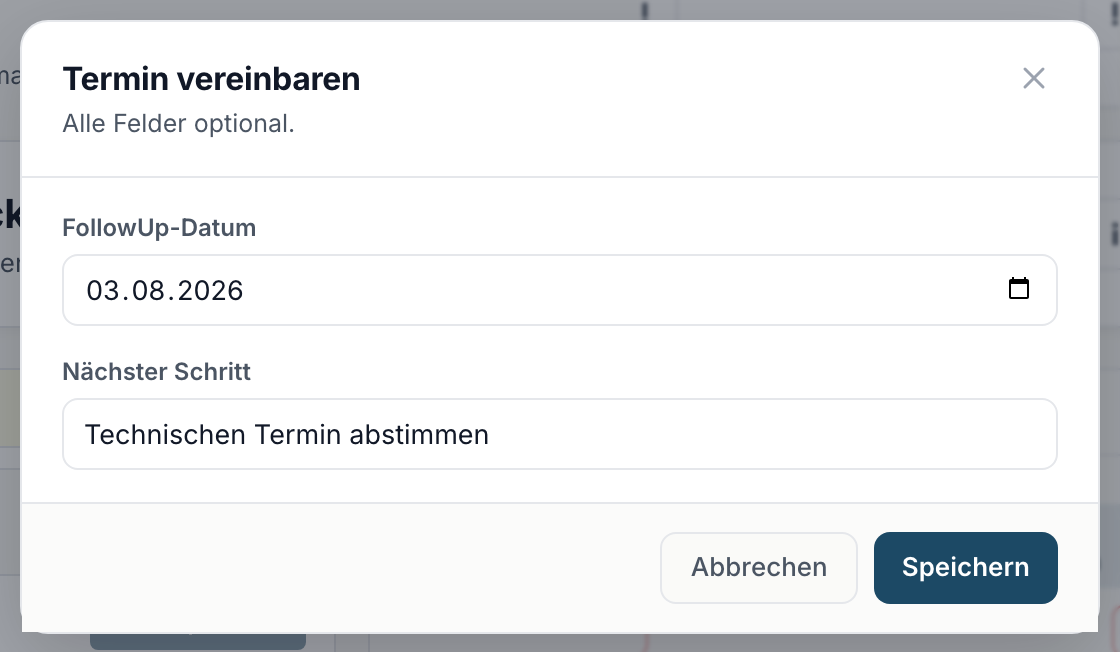
Fill these fields in anyway. Without a follow-up date the lead disappears from your work list.
If a lead on Discovery done or Discovery failed has no meeting date, the detail page shows Meeting date missing under Meeting date. Add the date there and click Save date - the stage stays as it is. If the lead is still on Discovery scheduled, Add meeting opens the meeting window.
Discovery failed is not a step backwards
If a meeting falls through, set the lead to Discovery failed instead of back to Set discovery. Two reasons:
- The stage is highlighted on Home in the Discovery pipeline and carries a hot marker. It will not get lost.
- The Show rate analysis relies on that distinction. Move the lead back and your meeting rate looks better than it is.
After Discovery done
Once a lead sits on Discovery done, its detail page shows the Deal phase section with the button Create offer. That turns the lead into a deal, and the work continues under Pipeline. From then on, Open deal sits in the same place.
The lead itself stays and remains findable under All leads ↗. It leaves Open leads ↗ because the work there is finished.
Lead lost, and what comes after
Lead lost is not deletion. The lead stays, keeps its Lost reason and appears in All leads. You can move it to another stage later if something changes.
The most common mistakes
- The stage sits on Qualify for too long. The analysis then counts the lead as untouched even though you are on it.
- Nobody switches to Discovery done after the meeting. Then the deal is missing and Pipeline conversion on Home stays low.
- A hopeless lead gets deleted instead of set to Lead lost. The lost reason is gone with it, and nobody learns what went wrong.