
Two areas in Setup that you rarely need and have to find instantly when you do.
Trash
The subtitle says what it is about: Deleted leads and deals. Purged automatically after 30 days.
The area is reserved for the Admin role - whoever may not delete leads has no trash either. Without the permission you end up on Personal profile ↗.
The table
Four columns: Type with the value Lead or Deal, Entry with the name, Deleted with the date, and Action.
If nothing is deleted, it reads Trash is empty.
Restoring
Click Restore on the row. The entry is then back in its usual place, complete with all fields, activities and notes.
Deleting permanently
Delete permanently removes an entry immediately and irreversibly. You get a confirmation prompt.
Only use it when a record genuinely has to disappear, for example at the request of the person concerned. For everything else, waiting out the 30 days is enough.
The 30-day window
The window starts when the item was deleted, not from the last time it was touched. So if you are looking for a lead deleted by mistake, do not wait too long. After that the entry is gone for good - support cannot bring it back either.
Legal
Everyone sees this area, whatever their role. That is deliberate: everybody on the team has to be able to reach legal texts.
It has six tabs:
| Tab | Content |
|---|---|
| Company details | your details for the imprint and the data processing agreement |
| Imprint | the statutory provider identification |
| Privacy | the privacy policy |
| DPA | the data processing agreement under Art. 28 GDPR |
| Terms | the terms of use |
| Subprocessors ↗ | the service providers who process data for inDeal |
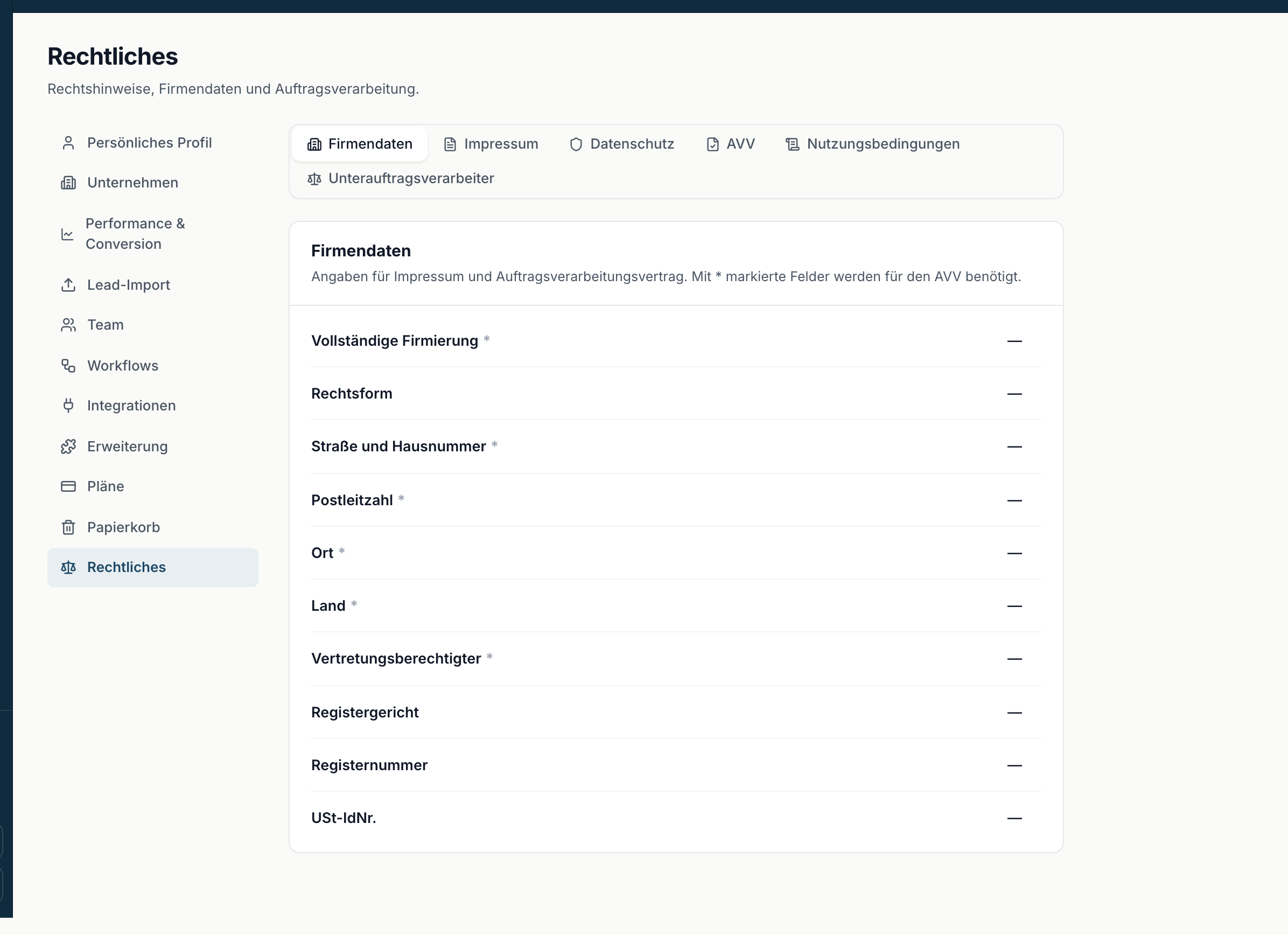
Only Company details requires permissions. Without them you still reach the area and land on Imprint; only the form is missing. If somebody without the permission tries to save, they see Not allowed - only admins can change company details.
Filling in the company details
The note reads: Details for the imprint and the data processing agreement. Fields marked * are required for the DPA.
The fields are Full legal name, Legal form, Street and number, Postal code, City, Country, Represented by, Register court, Register number and VAT ID.
Fill them in once, completely. They feed the generated documents; incomplete details leave gaps there.
The public versions
On the legal texts you find This version is also available without signing in: with the link Open public version.
You can pass that link on - to customers, to your legal team, to an auditor. The recipient needs no inDeal access.